


How Do You Handle a Warranty Claim and RMA Process with Your Chinese Ophthalmic Supplier?
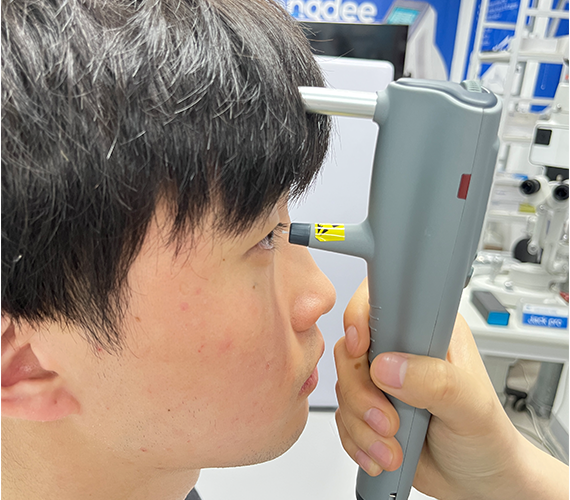
A tonometer fails mid-clinic. Patients wait. You panic. You do not know who to call or what to send.
Start by reporting the fault with photos, video, and the serial number. Your supplier opens an RMA, confirms warranty coverage, then repairs, replaces, or ships parts. Clear records and fast contact make the process smooth.
I run warranty support at Hongdee. Here I walk you through each step, so a claim feels simple, not stressful.
What Is an RMA and When Should You Start One?
A slit lamp flickers. You are unsure if it is a real defect or a user error. Waiting makes it worse. Acting early saves time.
An RMA, or Return Merchandise Authorization, is the approval you need before returning a faulty device. Start one as soon as a defect appears and basic checks do not fix it.

An RMA number tracks your case from report to resolution. Without it, a returned unit can get lost or delay repair.
When to Open a Claim
Not every glitch needs a return. Try the simple fixes first.
- Check power, cables, and settings.
- Review the IFU troubleshooting section.
- Record when and how the fault happens.
When to Escalate
If the fault repeats or the device is unsafe, contact us. I open an RMA, log the serial number, and start the warranty review. Early contact means faster repair.
| Step | Who acts | Output |
|---|---|---|
| Report fault | Reseller / clinic | Case opened |
| Review evidence | Supplier | Warranty decision |
| Issue RMA | Supplier | RMA number |
| Return or repair | Both | Fix path set |
What Information and Evidence Do You Need to Submit?
You email “it is broken” and nothing else. The reply asks ten questions. Days pass. Good evidence skips that back-and-forth.
Submit the serial number, purchase date, a clear fault description, photos, and a short video. Include the invoice and any error messages. Complete evidence speeds the warranty decision.
Strong evidence lets me judge the issue fast. It often shows whether a repair, a part, or a full replacement is needed.
The Evidence Checklist
I ask every customer for the same core items. It keeps decisions fair and quick.
- Device model and serial number.
- Proof of purchase or invoice.
- A plain description of the fault.
- Photos of the unit and any damage.
- A video showing the problem in action.
Why Video Helps Most
A clinic in the UAE once sent a ten second clip. I saw the exact fault and shipped the right part the same week. Video removes guesswork.
| Evidence item | Why it matters |
|---|---|
| Serial number | Confirms warranty window |
| Invoice | Proves purchase date |
| Photos | Shows physical state |
| Video | Reveals the live fault |
| Fault notes | Guides the repair plan |
How Does Warranty Coverage and Repair Actually Work?
A buyer in Brazil assumes everything is covered forever. Then a dispute starts. Clear terms prevent hard feelings.
Warranty covers defects in material and workmanship for a set period. It usually excludes misuse, accidents, and normal wear. Within coverage, the supplier repairs, replaces, or sends parts at no charge.

Knowing what is covered sets fair expectations. It also helps you explain terms to your own customers.
What Is Usually Covered
Warranty protects you against faults that are not your fault.
- Parts that fail under normal use.
- Assembly or build defects.
- Early-life component failure.
What Is Usually Excluded
Some damage sits outside warranty. Being honest about this builds trust.
- Drops, spills, and physical damage.
- Power surges without protection.
- Unauthorized repairs or modifications.
- Normal wear on consumable parts.
The Repair Path
Once I confirm coverage, I choose the fastest fix. For a small issue, I ship a part with a guide. For a complex fault, the unit returns to our service team. I keep you updated at each stage.
| Resolution | Best for | Typical speed |
|---|---|---|
| Part shipment | Minor, field-fixable faults | Fastest |
| On-site guide | Setup or calibration issues | Fast |
| Return repair | Complex internal faults | Moderate |
| Replacement | Units beyond economic repair | Case by case |
How Do You Manage Returns, Shipping, and Spare Parts Across Borders?
A camera adaptor needs returning from Australia. Freight, customs, and cost confuse you. Planning the logistics avoids surprise bills.
Agree in advance who pays freight, how to pack, and which documents the return needs. For many faults, shipping a spare part is faster and cheaper than returning the whole device.
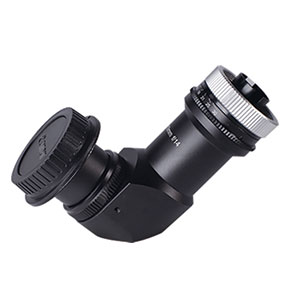
Cross-border logistics can be the slow part of any claim. Good planning keeps your clinic running.
Pack and Ship Smart
A poorly packed return can arrive more damaged than it left.
- Reuse the original box and foam when possible.
- Protect optics and moving parts.
- Attach the RMA number to the outside.
- Include a return document list.
Parts Over Full Returns
Often I prefer to send a spare part. It avoids freight on a heavy device and cuts downtime. A technician in Southeast Asia can swap many parts with a short guide and basic tools.
What Should You Expect for After-Sales Support and Spare Supply?
The claim closes, but your worry does not. Will support stay strong next year? Reliable after-sales turns one sale into a long partnership.
Expect ongoing technical help, a steady supply of spare parts, and clear service contacts. A good supplier supports the device for its full working life, not just the warranty window.
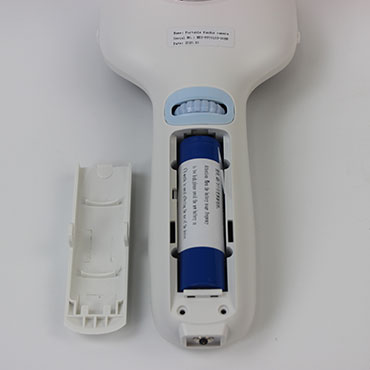
After-sales is where trust is won. I treat every claim as a chance to prove we stand behind our devices.
Signs of Strong Support
Before you commit to a supplier, look for these.
- Fast, clear replies to questions.
- Spare parts kept in stock for years.
- Named contacts for service.
- Help in your working language.
Building a Long Partnership
We at Hongdee keep service records for each reseller. When you call about a fundus camera sold two years ago, I already know its history. That memory makes every future claim faster.
Conclusion
A warranty claim need not be stressful. Report early, send clear evidence, get an RMA, and plan logistics. We at Hongdee guide each step and back our devices for the long run.