


How Do You Store and Protect Ophthalmic Equipment Against Humidity, Dust, and Climate?
Your new slit lamp sits in a warm, damp store room. Weeks pass. Mold creeps onto the optics. The device fails before its first patient.
Store ophthalmic devices in a cool, dry, dust-free space. Control humidity with sealed packaging and desiccant, keep units covered, and avoid heat and direct sun. These steps protect optics and electronics for years.
I ship devices across many climates. Here I share how we at Hongdee pack and advise, so your equipment arrives and stays in top condition.
Why Do Humidity, Dust, and Climate Damage Ophthalmic Devices?
A clinic in a coastal city never thinks about air moisture. Then lenses fog from the inside and readings drift. The enemy was invisible.
Moisture grows fungus on lenses and corrodes electronics. Dust scratches optics and blocks moving parts. Heat and cold stress sensitive components. Together they shorten device life and hurt accuracy.
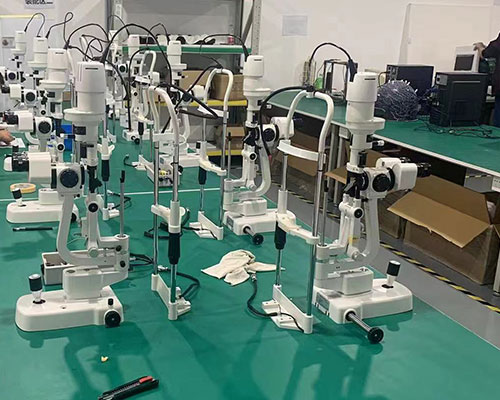
Eye care devices use fine optics and precise electronics. Small environmental harm leads to big performance loss.
The Three Main Threats
Each threat attacks the device in its own way.
- Humidity feeds fungus and rust.
- Dust scratches glass and jams gears.
- Climate swings cause condensation and material stress.
Which Parts Suffer Most
Lenses, mirrors, and sensors are the first to fail. A fundus camera or slit lamp depends on clear optics. Once fungus etches a lens, cleaning rarely restores it. Prevention is the only reliable cure.
| Threat | Main damage | Parts at risk |
|---|---|---|
| Humidity | Fungus, corrosion | Lenses, circuit boards |
| Dust | Scratches, blockage | Optics, moving parts |
| Heat | Material stress | Seals, electronics |
| Cold | Condensation | Internal optics |
What Storage Conditions Keep Equipment Safe?
A warehouse in a hot region stores devices near the roof. Temperatures soar each afternoon. The gear bakes slowly. Controlled conditions would have saved it.
Keep storage cool and stable, ideally in a controlled room with moderate humidity. Avoid direct sun, heat sources, and damp floors. Stable conditions matter more than any single perfect number.
The goal is steady, gentle conditions. Wild swings do more harm than a mildly imperfect but stable room.
Target a Stable Environment
I advise resellers to aim for these simple goals.
- A cool, shaded room away from windows.
- Moderate, controlled humidity.
- Good air flow to prevent damp pockets.
- Shelving off the floor and away from walls.
Use the Original Packaging
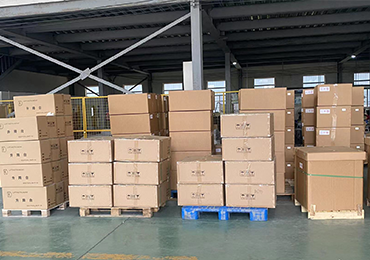
Our packaging is designed to protect during transit and storage. I tell customers to keep it. The foam, box, and sealed bags shield optics far better than a bare shelf.
| Condition | Good practice | Avoid |
|---|---|---|
| Temperature | Cool, stable | Heat, direct sun |
| Humidity | Moderate, controlled | Damp, unventilated |
| Placement | Shelved, covered | Floor, against walls |
| Packaging | Original box kept | Unprotected units |
How Do You Control Humidity and Dust in Daily Use?
A busy practice in a tropical region never covers its devices overnight. Dust settles. Moist air seeps in. Small neglect adds up fast.
Use desiccant packs in sealed cases, cover devices when idle, and run a dehumidifier in damp seasons. Clean optics only with approved tools. Simple daily habits prevent most climate damage.
Daily care is cheap. Repairs are not. A few minutes each day protects a major investment.
Fight Humidity
Moisture control is the single most valuable habit in a damp climate.
- Place fresh desiccant in device cases.
- Run a dehumidifier in the wet season.
- Store spare lenses in sealed, dry boxes.
- Let devices adjust slowly when moving between hot and cold rooms.
Fight Dust
Dust is constant, so defense must be too.
- Cover each device with its dust cloth when idle.
- Keep the room clean and sealed.
- Clean optics only with approved cleaner and lens tissue.
- Never wipe lenses with rough cloth or dry dust.
A Simple Daily Routine
I suggest a short end-of-day check. Cover every unit. Replace tired desiccant. Confirm the room is sealed. This routine takes minutes and prevents most faults I see.
How Should You Pack and Transport Equipment Across Climates?
A device travels from a cool port to a humid inland clinic. No one plans the journey. It arrives with condensation inside. Planning transport protects the unit.
Pack in sealed, cushioned, moisture-proof boxes with desiccant. Mark fragile and upright. Let devices acclimatize before use after a big climate change. Good transport prevents shock and condensation.
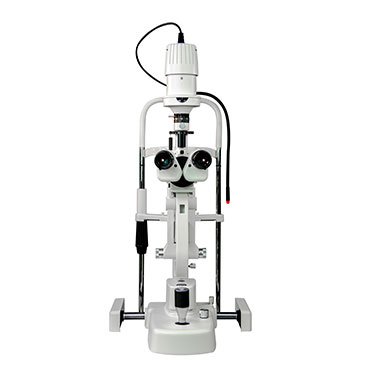
Transport exposes devices to the harshest swings. Shock, heat, and moisture all strike in a single trip.
Pack for the Journey
Good packing absorbs shock and blocks moisture.
- Use the original foam and box.
- Add desiccant inside sealed bags.
- Cushion optics and lock moving parts.
- Label the box fragile and upright.
Acclimatize on Arrival
When a device moves from cold to warm, moisture can condense inside. I advise leaving the sealed box closed for several hours so it warms slowly. Only then open and power on. This simple wait prevents internal fogging.
| Transport step | Action | Benefit |
|---|---|---|
| Packing | Sealed, cushioned box | Blocks shock, moisture |
| Marking | Fragile, upright labels | Safer handling |
| Transit | Avoid heat exposure | Protects electronics |
| Arrival | Acclimatize before use | Prevents condensation |
What Long-Term Habits Protect Your Investment?
A clinic buys well but neglects care. Five years on, devices fail early. Another clinic maintains well and runs the same gear far longer. Habits decide the outcome.
Build a routine of regular cleaning, humidity checks, periodic inspection, and calibration. Keep records and act on early warning signs. Consistent care extends device life and protects accuracy.
Long-term protection is a system, not a one-time effort. Small steady habits beat occasional big fixes.
Schedule Regular Care
A simple calendar keeps care from slipping.
- Weekly: clean optics and surfaces.
- Monthly: check humidity and desiccant.
- Yearly: inspect and calibrate key devices.
Keep Records and Watch for Warnings
I tell resellers to log each check. A record shows trends, like rising humidity or drifting readings. Early action prevents failure.
| Interval | Task | Goal |
|---|---|---|
| Weekly | Clean and cover | Remove dust |
| Monthly | Humidity and desiccant check | Control moisture |
| Yearly | Inspect and calibrate | Keep accuracy |
We at Hongdee gladly advise on care routines for the exact climate where your devices live.
Conclusion
Protect your optics and electronics with cool, dry, dust-free storage, desiccant, covers, and careful transport. We at Hongdee pack for every climate and advise on habits that keep your equipment accurate for years.