

Remote screening fails when a camera is treated as the care pathway. We design the acquisition, quality check, clinical review, and referral handoff together.
For many remote eye-screening workflows, a suitable fundus camera is a practical starting point, supported by controlled lighting, fixation, trained operators, secure transfer, and a qualified reviewer. The best equipment is the equipment that produces reviewable images within a documented referral pathway.
A camera does not replace an in-person examination. It does not make an image diagnostic by default. We ask buyers to specify the clinical responsibility and the failure route before selecting hardware.
Which equipment belongs at the remote screening site?
A remote site may need a compact kit, but “portable” is not the same as “complete.” The device must fit the target condition, operator, environment, and downstream review.
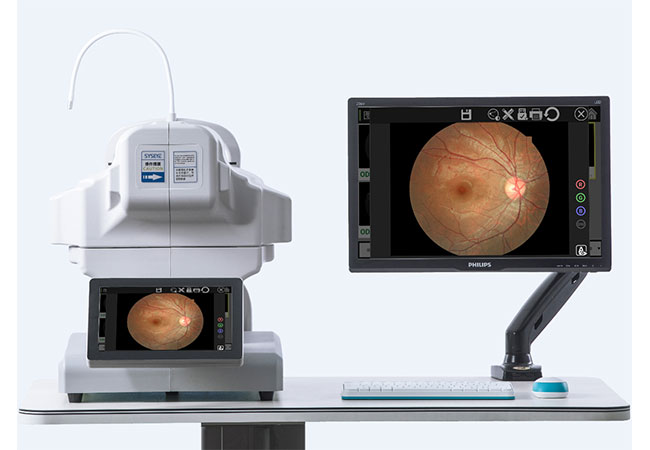
A remote screening station commonly needs an appropriate fundus camera, stable power, positioning and fixation aids, a controlled capture area, secure data handling, and a defined way to contact the qualified reviewer and referral service.
Start with the screening question
A fundus camera can capture retinal photographs, but the intended screening programme determines the required field, image quality, patient preparation, capture protocol, and review expertise. We do not tell a buyer that one camera covers every eye condition. A workflow for diabetic-retinopathy screening is not automatically a glaucoma assessment, paediatric examination, or comprehensive eye exam.
At Hongdee, we ask the programme owner to write the intended output: “image suitable for remote grading,” “image requiring referral,” or “unable to grade.” That wording helps the team avoid treating a device’s marketing features as clinical evidence. The equipment specification should then include the capture conditions, storage or transfer method, operator controls, and local safety process.
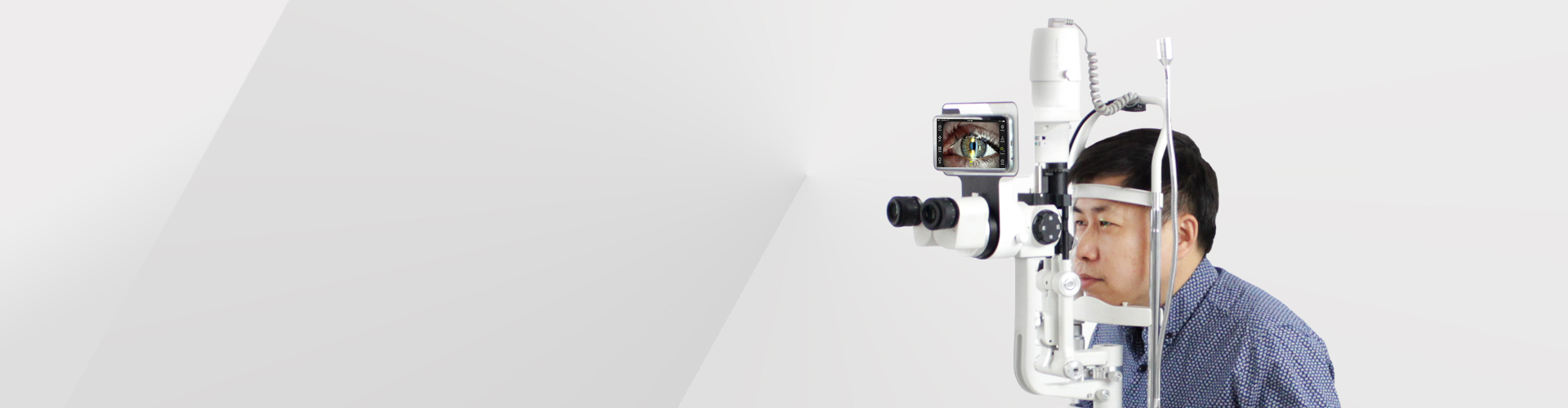
A slit lamp may be valuable when the remote pathway needs anterior-segment observation, but it does not replace a retinal camera. A visual-acuity chart may support a basic assessment, but it does not show the fundus. A tonometer may contribute a pressure measurement, but it does not by itself screen every eye disease. We select a set only after the clinical protocol names each required observation.
| Remote task | Possible equipment role | Boundary to state |
|---|---|---|
| Retinal image capture | Fundus camera | Requires image review and quality grading |
| Anterior-segment observation | Slit lamp with suitable imaging | Does not provide a complete eye exam alone |
| Visual acuity | Vision chart or equivalent | Does not image ocular structures |
| Pressure measurement | Tonometer | Does not diagnose a condition alone |
Check the site, not just the brochure
Remote sites can have glare, dust, unstable power, limited bandwidth, and crowded rooms. We ask for a site survey and a short operator test. The test should cover positioning, focus, fixation, image review, retakes, cleaning, charging, and escalation. We also ask whether the product’s actual configuration supports the required export or transfer process. We never assume DICOM, cloud integration, or a particular connector unless the exact model documentation confirms it.
How do you control image quality before remote review?
A distant clinician cannot correct a missing field, motion blur, or poor focus after the patient has left the station. Quality control must happen at capture.
Use a written image-quality checklist: correct patient and eye, adequate field, focus, exposure, absence of avoidable artefacts, clear labels, and a repeat-or-escalate rule. Images that cannot be graded should be marked ungradable, not silently treated as normal.
The operator checkpoint
We divide quality control into three moments. Before capture, the operator confirms identity, consent or local programme requirements, laterality, device readiness, and patient positioning. During capture, the operator checks fixation, focus, field, illumination, and whether the image contains the required anatomy. After capture, a second check confirms labels, file association, legibility, and transfer readiness.
This is not a claim that every image can be made usable. Some pupils, media conditions, movement, or patient factors will limit capture. The protocol needs a safe next step. That may be a repeat under approved conditions, a local examination, or referral. A “no image” or “ungradable” result must reach the person responsible for follow-up.
The American Telemedicine Association’s Ocular Telehealth Assessments and Disease Monitoring statement describes elements of remote eye assessment. We use it to frame governance and quality questions, not to claim that a particular Hongdee product meets every clinical programme requirement.
Reviewable is not the same as normal
A reviewer may be unable to grade an image for a technical reason. That result is different from a finding that no abnormality is present. The data structure, user interface, and training should preserve this distinction. We recommend separate fields for “gradable,” “ungradable,” “refer,” and “routine follow-up,” subject to the clinical programme’s approved terminology.
We also document who can change a result and how corrections are audited. Remote screening is a clinical service, so a neat image archive is not enough. The programme must know which reviewer assessed it, when, under which protocol, and how the patient is contacted if referral is needed.
Who carries clinical responsibility when screening is remote?
Distance changes the workflow, not the duty to provide safe clinical governance. Equipment vendors should not blur the boundaries between capture, interpretation, and treatment.
A qualified clinical service must define who interprets images, who makes referral decisions, who informs the patient, and who handles urgent or ungradable results. The capture operator may support the protocol but should not be presented as the remote clinician by default.
Assign roles before deployment
We ask the programme to name four roles: the person who prepares and captures, the qualified reviewer, the referral coordinator, and the clinical lead accountable for the protocol. One person may hold more than one role in some settings, but the assignment must be explicit. The team should define reviewer qualifications, response times internally, urgent escalation, data protection, and record retention according to local rules.
The patient-facing message should also be clear. Remote screening is not a guarantee of diagnosis, and a normal or ungradable screen does not necessarily remove the need for a full examination. The referral destination should be known before the first image is collected. If the site serves a remote community, transport, language, appointment access, and patient contact can affect completion of care.
We do not use “AI reading” language or imply automated diagnosis. The article’s equipment discussion stays with image acquisition and workflow design. If a programme later evaluates decision-support software, that is a separate regulatory, clinical, and validation question.
Build an escalation map
A safe map includes at least three exits: routine result and follow-up, referral for review or examination, and urgent escalation according to the clinical protocol. “Unable to capture” belongs on the map. So does loss of connectivity. The station should preserve the case identifier and retry transfer without creating duplicate patient records.
| Event | Immediate station action | Clinical pathway |
|---|---|---|
| Good, labelled image | Securely send for review | Qualified grading |
| Poor but repeatable | Retake under protocol | Review or local examination |
| Ungradable after allowed attempts | Mark ungradable | Defined referral or examination |
| Concerning reviewed image | Preserve record | Clinical referral and patient contact |
| Connectivity failure | Secure and queue data | Approved transfer retry |
How should a buyer compare remote-screening systems?
The cheapest camera is not necessarily the least expensive workflow. We compare the whole path from patient identity to completed referral.
Compare capture quality controls, operator training, power and cleaning needs, data security, transfer reliability, reviewer workflow, maintenance documents, and referral completion. Treat DICOM, cloud access, and interoperability as model-specific requirements to verify.
Use a staged acceptance test
Stage one checks physical operation: unpacking, power, charging, positioning, focus, image capture, cleaning, and storage. Stage two checks the protocol with test cases approved by the clinical team: correct laterality, labels, repeat capture, ungradable marking, and secure transfer. Stage three checks the handoff: reviewer receives the correct record, documents a result, and returns an actionable referral status.
We ask buyers to record failure modes. What happens with a small pupil? What happens if the first image is blurred? What if the network stops? What if the reviewer is unavailable? What if the patient cannot reach the referral clinic? Answers belong in the standard operating procedure, not only in a supplier demonstration.
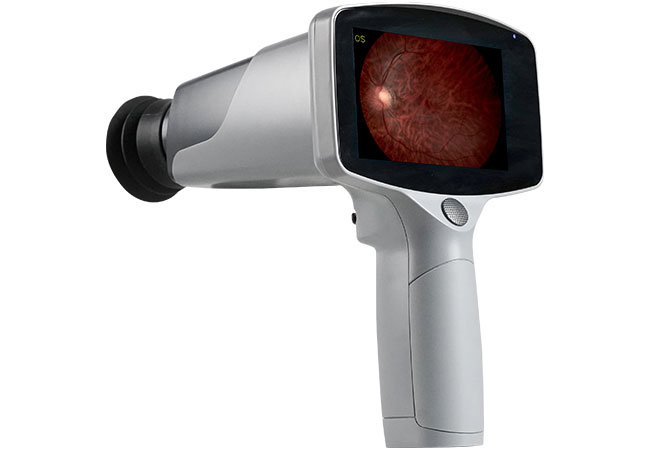
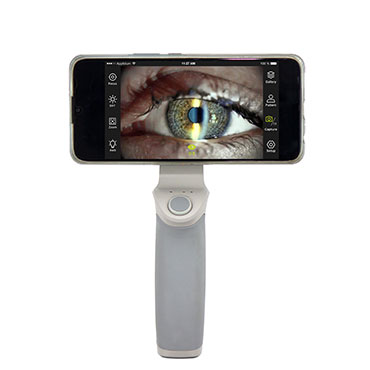
The Hongdee portable fundus camera page can start a product conversation. We still ask the buyer to confirm the exact model’s image format, power options, accessories, operating environment, and any integration claim in writing. Our service page can support a discussion about documentation and after-sales questions, but clinical governance stays with the responsible service.
Sources and scope
- American Telemedicine Association Ocular SIG, “Ocular Telehealth Assessments and Disease Monitoring—Part One,” https://www.americantelemed.org/resources/ocular-telehealth-assessments-and-disease-monitoring/ (accessed 2026-10-12; remote eye-exam elements).
- World Health Organization, “Global strategy on digital health 2020–2025,” https://www.who.int/publications/i/item/9789240020924 (accessed 2026-10-12; digital-health governance context).
Conclusion
Choose remote-eye equipment by the complete pathway: capture, quality control, qualified review, ungradable handling, and referral. A camera supports care; it does not replace a clinical examination or guarantee a diagnosis.